Hiển thị các bài đăng có nhãn jQuery. Hiển thị tất cả bài đăng

22 thg 8, 2011

Colorful CSS Notification Box - Các khung báo lỗi bằng CSS


Hôm nay đang lướt mấy website của mình, thấy mấy cái notification box
dễ thương nên viết bài này chia sẽ tới các bạn – những web designer
quan tâm đến các ô thông báo thành công, báo lỗi…trên website.


Do kinh nghiệm và quan sát nên mình thấy có 4 loại box chính thường xuất hiện trong các website.


1. Success box: Ô này thường hiện khi một chức năng, một xử lý nào đó đã xử lý thành công và thông báo kết quả thành công cho người dùng biết.

2. Error box: Khi xử lý có vấn đề, ô Error thường xuất hiện để báo hiệu cho người dùng biết.

3. Warning box: không nghiêm trọng như ô Error, ô warning thường chỉ những xử lý cần cung cấp thêm chi tiết để nhắc nhở người dùng.

4. Notification box: ô cung cấp các thông tin cho người dùng.


———


Các box có sử dụng bo tròn 4 góc bằng CSS, nên các trình duyệt không hỗ trợ round corner sẽ không thấy (Opera, IE).


Mình có 2 version cho các bạn:

- Phiên bản có sử dụng jQuery để tăng thêm tương tác cho nút đóng các box. Download | Demo

- Phiên bản không có nút đóng (không sử dụng jQuery) dành cho những ai chỉ muốn show các box thôi. Download | Demo


Enjoy Coding…


Nguồn: BlogHocTap

20 thg 8, 2011

Ứng dụng Fancybox xem các video trên Youtube


Thật ra Youtube cũng đã cung cấp các đoạn code để các bạn có thể chèn video từ Youtbe vào trang web dễ dàng. Tuy nhiên nếu bạn muốn chèn rất nhiều video trên cùng một trang hoặc bạn muốn thể hiện một cách xem video ấn tượng hơn cho trang web - đó là mỗi video có một hình ảnh minh họa, khi click vào sẽ play đoạn video mà khách truy cập vẫn không rời khỏi trang web của bạn ? Fancybox sẽ là một giải pháp giúp thực hiện điều này dễ dàng hơn bao giờ hết !


Cách thực hiện :


1. Sử dụng thư viện JS của Fancybox cho trang web, chèn đoạn code sau trong thẻ <head>...</head>


<script type="text/javascript" src="http://ajax.googleapis.com/ajax/libs/jquery/1.4/jquery.min.js"></script>

<script type="text/javascript" src="fancybox/jquery.fancybox-1.3.4.pack.js"></script>

<link rel="stylesheet" type="text/css" href="fancybox/jquery.fancybox-1.3.4.css" media="screen" />


Lưu ý: file fancybox-1.3.4.js và fancybox-1.3.4.css được cung cấp trong file nén ở trên, các bạn tải về up lên host riêng để sử dụng nhé


2. Chèn đoạn code script sau vào đầu hoặc cuối trang để sử dụng Fancybox cho việc thể hiện video


jQuery(document).ready(function() {

    $(".video").click(function() {

        $.fancybox({

            'padding'        : 0,

            'autoScale'        : false,

            'transitionIn'    : 'none',

            'transitionOut'    : 'none',

            'title'            : this.title,

            'width'            : 640,

            'height'        : 385,

            'href'            : this.href.replace(new RegExp("watch\\?v=", "i"), 'v/'),

            'type'            : 'swf',

            'swf'            : {

            'wmode'                : 'transparent',

            'allowfullscreen'    : 'true'

            }

        });

        return false;

    });

});


Các bạn có thể copy đoạn code này vào một file (vd video.js như trong demo) và chèn vào trang web cũng được


3. Bây giờ là đoạn code để thể hiện video


<a class="video"  title="Play Video" href="http://www.youtube.com/v/ZeStnz5c2GI?fs=1&amp;autoplay=1"><img src="images/1.jpg" alt="" /></a>


Với đoạn code này, bạn có thể sử dụng chèn nhiều video vào cùng một trang web mà không ảnh hưởng đến diện tích là tốc độ load trang web bằng cách thay link của video từ youtube trong mỗi đoạn code.


Lưu ý:


- Nếu các bạn muốn video tự Play sau khi mở thì chèn thêm đoạn autoplay=1 vào cuối link video nhé


- File images/1.jpg trong đoạn code là ảnh minh họa cho video (bạn có thể thay bằng tiêu đề video tùy thích)


Chúc các bạn thành công !


Bai viết tham khảo từ WebDesignAndSuch - Dịch bởi itdl.blogspot.com


19 thg 8, 2011

Hướng dẫn sử dụng jQuery Fancybox

Fancybox là plugin giúp thể hiện hình ảnh, hoặc video, nhạc theo style của hệ điều hành MAC.


Các chức năng chính:


  • Tự động thêm bóng vào item khi zoom

  • Chức năng nhóm một loạt item và tự thêm menu

  • Tùy biến qua file CSS

  • Hỗ trợ các kiểu chuyển động với plugin easing


Cách sử dụng


Trước tiên, bạn cần download jQuery và jQuery fancybox. Nếu bạn sử dụng plugin easing, thêm vào trong thẻ <head> như sau: (chú ý đặt thư mục jquery.fancybox cùng cấp với file html)

<!-- FancyBox CSS -->
<link rel="stylesheet" type="text/css" href="jquery.fancybox/jquery.fancybox.css" media="screen" />

<!-- Thư viện jQuery -->
<script type="text/javascript" src="js/jquery.min.js"></script>

<!-- Easing Plugin -->
<script type="text/javascript" src="js/jquery.easing.1.3.js"></script>

<!-- Fancybox plugin -->
<script type="text/javascript" src="js/jquery.fancybox-1.2.1.pack.js"></script>


Mã HTML như sau:


<p>
Sử dụng cho 1 ảnh <br />

<a title="Sample title" href="1_b.jpg"><img src="1_s.jpg" /></a>
</p>

<p>
Sử dụng cho một nhóm các ảnh <br />

<a rel="group" title="Group title #1" href="2_b.jpg"><img src="2_s.jpg" /></a>
<a rel="group" title="Group title #2" href="3_b.jpg"><img src="3_s.jpg" /></a>

<a rel="group" href="4_b.jpg"><img src="4_s.jpg" /></a>
</p>


Và gọi plugin fancybox


$(document).ready(function() {
$("a").fancybox();
});


Nguồn: nTuts

22 thg 12, 2010

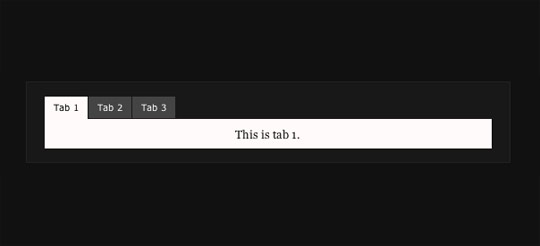
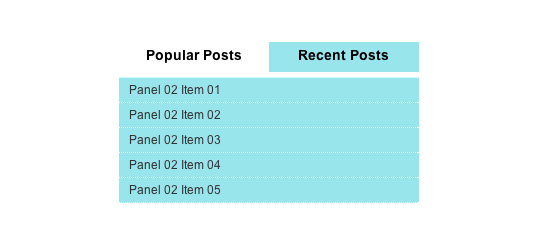
11 giải pháp sử dụng jQuery làm "Tab Navigation"

Đôi khi việc đặt nội dung trong các Tab sẽ làm cho website của bạn trong đẹp mắt và gọn gàng hơn rất nhiều. Ví dụ, nếu bạn có một số nội dung cần đưa lên một không gian nhỏ hẹp nào đó trong trang web thì các tab có thể giúp bạn giải quyết điều này bằng cách cho phép người dùng chuyển đổi giữa các Tab.


Sometimes using tabs just makes a lot of sense. For instance, if you have a limited amount of screen real estate, tabs can allow you to save room by giving the user a way to toggle between several items in a small space. And to take your tabs a step further, you can throw jQuery into the mix for some nice transition and animation effects. If you’ve yet to build a tab navigation with jQuery, here are 11 tutorials and plugins to help you get going.


Dưới đây là 11 ví dụ ứng dụng jQuery để phân Tab cho trang web bạn nên tham khảo:


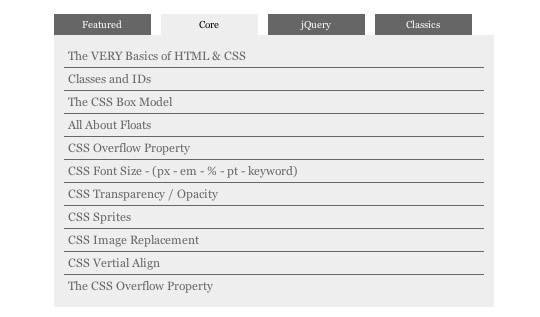
Create A Tabbed Interface Using jQuery


jquery tab navigation


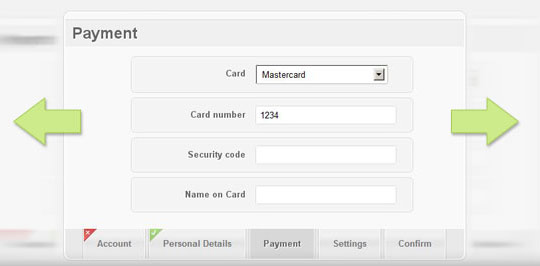
A tutorial and plugin for creating an animated tabbed area.


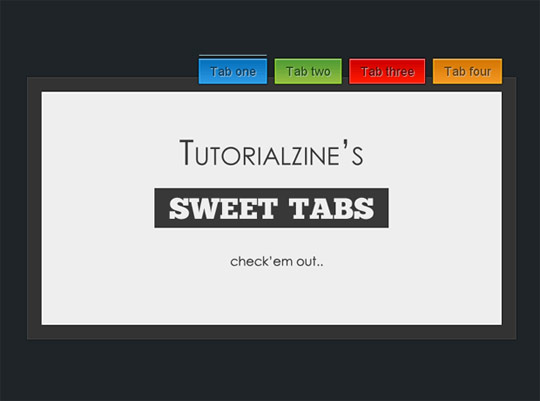
Sweet AJAX Tabs With jQuery 1.4 & CSS3


jquery tab navigation


In this tutorials you’ll learn how to create an AJAX-powered tab page with CSS3 and jQuery.


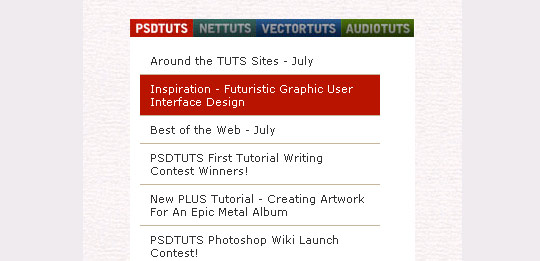
Building a Better Blogroll: Dynamic Fun with SimplePie and jQuery


jquery tab navigation


This tutorials teaches you how to build a dynamic tabbed blogroll with some fun jQuery animations.


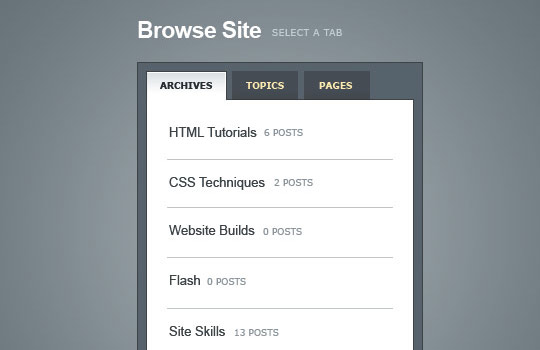
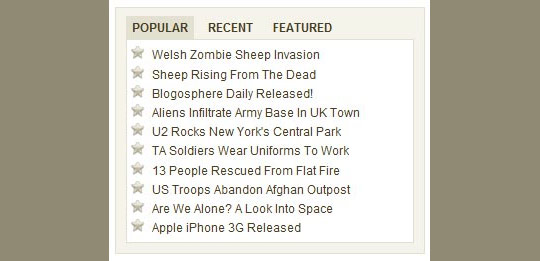
Create a Slick Tabbed Content Area using CSS & jQuery


jquery tab navigation


This tutorials teaches you how to build a simple little tabbed information box in HTML, then make it function using some simple Javascript, and then finally we’ll achieve the same thing using the jQuery library.


Feature List


jquery tab navigation


This jQuery plugin enables simple and easy creation of an interactive “Featured Items” widget.


Fancy Sliding Form with jQuery


jquery tab navigation


This tutorial teaches you how to create a fancy sliding form that shows some validation feedback to the user after each step. This form saves a lot of space and is easy to access – it basically works like a slide show, just that we have fieldsets of a form instead of images.


Create A Tabbed Interface Using jQuery


jquery tab navigation


This tutorial teaches you how to easily create a tabbed interface using the Tabs function in the jQuery UI library.


Tabify


jquery tab navigation


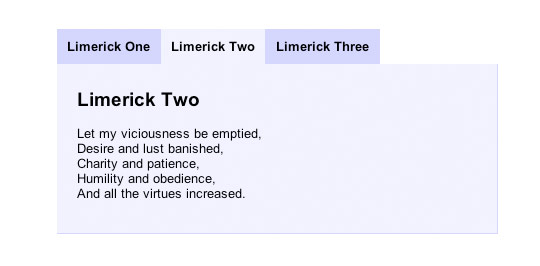
This Jquery plugin lets you easily create tabbed content. All you need is an ul-element with some li-elements and a couple of related content-divs. The major difference between Tabify and it’s competitors is it’s size.


Accessible-Tabs


jquery tab navigation


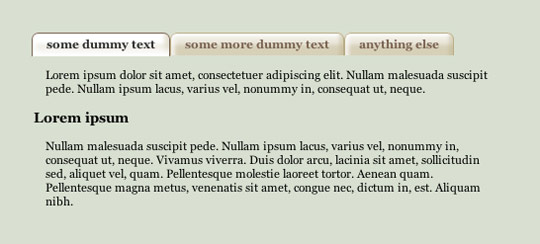
jQuery Plugin that generates a Tab Navigation from Markup that makes sense without Javascript. The generated Tabs are the only ones out there that work for Screenreader users without support for WAI ARIA.


idTabs


jquery tab navigation


idTabs is a plugin for jQuery that makes adding tabs into a website super simple. But it can also open the door to endless possiblities.


jQuery Moving Tab and Sliding Content Tutorial


jquery tab navigation


Learn how to build a lava lamp tab and sliding content all together with just simple jQuery code. This script is good for sidebar that display recent posts, comments and community news.


(Nguồn: 11 Useful jQuery Tab Navigation Solutions)

27 thg 8, 2010

15 ví dụ sử dụng jQuery làm "Fetured Content Slider" đẹp nhất

jQuery là một mã nguồn mở Javascript đang rất phổ biến hiện nay. Với jQuery, chúng ta có thể đưa nhiều ứng dụng sinh động vào trang web mà không tốn nhiều công sức. Ứng dụng nổi bật được nhiều người sử dụng là dùng jQuery để làm "Fetured Content Slider". Các webmaster hãy tham khảo 15 mẫu dưới đây nhé, có demo và link download toàn bộ code cho các bạn.


1. jFlow | Official Website | Demo


A pretty neat photo slider. It featured in nettut, if you try to make yourself a photo slider. Visit this site.


jFlow


2. Create Featured Content Slider Using jQuery UI | Official Website | Demo


This is a nice tutorial that teaches you how to “show off the best content of your website or blog in a nice intuitive way” in order to “catch more eyeballs”. One of the techniques to show the featured content is the auto-playing content slider.`


3. Create Beautiful jQuery sliders tutorial | Official Website | Demo


This tutorial explains how to develop/create Beautiful jQuery sliders tutorial with image description and name.


4. A Basic Content Slider With jQuery | Official Website | Demo


A Simple Content Slider Using jQuery By Brenelz's Web Development Tips


5. JC Play List | Official Website | Demo


free and easy to use Flash component created especially for easy visual representation of multimedia lists such as XMLs, RSS 2.0 feeds from Picasa and Flickr.


JC Play List


6. Easy Slider | Official Website | Demo


a JQuery Plugin that “enables images or any content to slide horizontally or vertically on click”.


Easy Slider


7.  jqGalScroll | Official Website


jQuery Gallery Scroller (jqGalScroll) takes list of images and creates a smooth scrolling photo gallery scrolling vertically, horizontally, or diagonally. The plugin will also create pagination to allow you to flow through your photos.


jqGalScroll


8. Image Gallery | Official Website


It’s nothing complicated - a simple image gallery/viewer. When calling the plugin you specify which images you want to use like this:


Image Gallery


9. Making a Content Slider with jQuery UI | Official Website | Demo


a very well explained step by step tutorial by Dan Wellman for NetTuts.


Making a Content Slider with jQuery UI


10. Creating a Slick Auto-Playing Featured Content Slider | Official Website | Demo


a tutorial written by Chris Coyier from CSS-Tricks.com. This script is based on the Coda Slider. It has additional features such as:


Creating a Slick Auto-Playing Featured Content Slider


11. slideViewer | Official Website


SlideViewer is a lightweight (1.5Kb) jQuery plugin wich allows to instantly create an image gallery by writing just few lines of HTML such as an unordered list of images.


slideViewer


12. Start/Stop Slider | Official Website | Demo


Start/Stop Slider


13. A Minimalist jQuery Plugin | Official Website | Demo


a tutorial from WebDesignBooth that explains you how to create a simple content slider using the powerful library JQuery.


A Minimalist jQuery Plugin


14. BarackSlideshow | Official Website | Demo


a very tiny and lightweight slideslow script, inspired by the slideshow in Barack Obama website. The script takes the power of MorphList to enhance visualization and navigation of the images.


BarackSlideshow


15. Wordpress Theme using JQuery s3Slider | Official Website | Demo


Creating Featured Slider in Wordpress Theme using JQuery s3Slider


Wordpress Theme using JQuery s3Slider

13 thg 8, 2010

50 hiệu ứng chuyển động với CSS3


CSS3 đã mang lại một số tính năng mới tuyệt vời, độc đáo đi cùng cùng với nó là các hiệu ứng chóa lóa, xử lý hình ảnh mượt mà, điều mà trước đây chúng ta chỉ nghỉ đến nó khi sử dụng Flash, Java. Đây bài viết tổng hợp 50 bài hướng dẫn, ví dụ về CSS3 thực hiện các hiệu ứng chuyển động kết hợp với JavaScript. Để xem được các hiệu ứng này, yêu cầu bạn phải có trình duyệt WebKit như Safari và Chrome, Firefox (gởi lời xin lỗi đến Fans của Internet Explorer và Opera (!)


Drop-In Modals


CSS3 Clock With jQuery


50 hiệu ứng chuyển động với CSS3


Analogue Clock


50 hiệu ứng chuyển động với CSS3


3D Cube That Rotates Using Arrow Keys


50 hiệu ứng chuyển động với CSS3


Multiple 3D Cubes (Slide In/Out)


50 hiệu ứng chuyển động với CSS3


CSS3 Accordion


50 hiệu ứng chuyển động với CSS3


Auto-Scrolling Parallax


50 hiệu ứng chuyển động với CSS3


Isocube


50 hiệu ứng chuyển động với CSS3


Image Gallery


50 hiệu ứng chuyển động với CSS3


Matrix


50 hiệu ứng chuyển động với CSS3


7 Javascript-effect Alternatives Using CSS3


50 hiệu ứng chuyển động với CSS3


Image Hover Effects


50 hiệu ứng chuyển động với CSS3


Turning Coke Can (Control With Scrollbar)


50 hiệu ứng chuyển động với CSS3


3D Meninas


50 hiệu ứng chuyển động với CSS3


Polaroid Gallery


50 hiệu ứng chuyển động với CSS3


Space


50 hiệu ứng chuyển động với CSS3


Mac Dock


50 hiệu ứng chuyển động với CSS3


Sliding Vinyl


50 hiệu ứng chuyển động với CSS3


Zooming Polaroids


50 hiệu ứng chuyển động với CSS3


Animated Rocket


50 hiệu ứng chuyển động với CSS3


Poster Circle


50 hiệu ứng chuyển động với CSS3


Morphing Cubes


50 hiệu ứng chuyển động với CSS3


Animated Polaroid Gallery


50 hiệu ứng chuyển động với CSS3


Spotlight Cast Shadow


50 hiệu ứng chuyển động với CSS3


Colorful Clock


50 hiệu ứng chuyển động với CSS3


Lightbox Gallery


50 hiệu ứng chuyển động với CSS3


Elastic Thumbnail Menu


50 hiệu ứng chuyển động với CSS3


Coverflow


50 hiệu ứng chuyển động với CSS3


jQuery DJ Hero


50 hiệu ứng chuyển động với CSS3


Dynamic Stacking Cards


50 hiệu ứng chuyển động với CSS3


Another Image Gallery


50 hiệu ứng chuyển động với CSS3


Snow Stack (Control With Arrow Keys)


50 hiệu ứng chuyển động với CSS3


Animated Pricing Column


50 hiệu ứng chuyển động với CSS3


Slick jQuery Menu


50 hiệu ứng chuyển động với CSS3


CSS Tabs Without Javascript


50 hiệu ứng chuyển động với CSS3


Tab Menus Without Javascript


50 hiệu ứng chuyển động với CSS3


SVG Fisheye Menu


50 hiệu ứng chuyển động với CSS3


Falling Leaves


50 hiệu ứng chuyển động với CSS3


Rotating Gallery


50 hiệu ứng chuyển động với CSS3


Dropdown Menu


50 hiệu ứng chuyển động với CSS3


Star Wars Crawl


50 hiệu ứng chuyển động với CSS3


Sticky Notes


50 hiệu ứng chuyển động với CSS3


Snowflakes


50 hiệu ứng chuyển động với CSS3


Another Fisheye


50 hiệu ứng chuyển động với CSS3


Frame-by-Frame Animation


50 hiệu ứng chuyển động với CSS3


AT-AT Walker


50 hiệu ứng chuyển động với CSS3


Another Accordion


50 hiệu ứng chuyển động với CSS3


Dynamic Presentation Without Flash


50 hiệu ứng chuyển động với CSS3


Smoothie Slider Menu


50 hiệu ứng chuyển động với CSS3


Spinner


50 hiệu ứng chuyển động với CSS3


(Theo Ken Phan Blog)